
Project Manager with Web Development skills with a tech stack of HTML, CSS, and JavaScript.
Introduction to DOM
The Document Object Model (DOM) allows programming languages like JavaScript to manipulate and modify web pages, including HTML and XML documents, through a tree-like structure of objects. Consider how a web page would look as a book or magazine-like digital content. Now imagine the Document Object Model (DOM) in JavaScript as a mechanism to interact with this digital document exactly like you would with a physical book.
Let's look at this simpler explanation:
Web Page = Digital Document: In the same way as your book has chapters, paragraphs, and words, a web page is similar to a digital document made up of several elements.
DOM = The Way to Interact: When it comes to reading and editing the content of this digital document, JavaScript's DOM is like a magical tool. It's similar to wearing specialized glasses that allow you to edit and view what is in the document.
Elements = Building Blocks: A web page has things like headings, links, photos, and buttons. You may recognize and operate with these elements with the aid of the DOM.
Actions = Making Things Happen: You can use the DOM to change a button's content, have a picture show when a link is clicked, or add new paragraphs to a page. It's similar to placing stickers or comments on the pages of your electronic book.
Events = Triggers: You may also build up events, such as key presses or button clicks, to trigger particular actions with the aid of the DOM. It's like commanding the book to perform an action whenever a specific area of it is touched.
DOM Elements
Understanding DOM Elements as Nodes
When DOM elements are referred to as nodes, it signifies that the content of web pages has been divided into discrete units (nodes) that can be accessed, organized, and modified through the DOM, enabling web development and interactivity. Think of them as building blocks or individual pieces of content within a web page.
The DOM Tree and Its Characteristics:
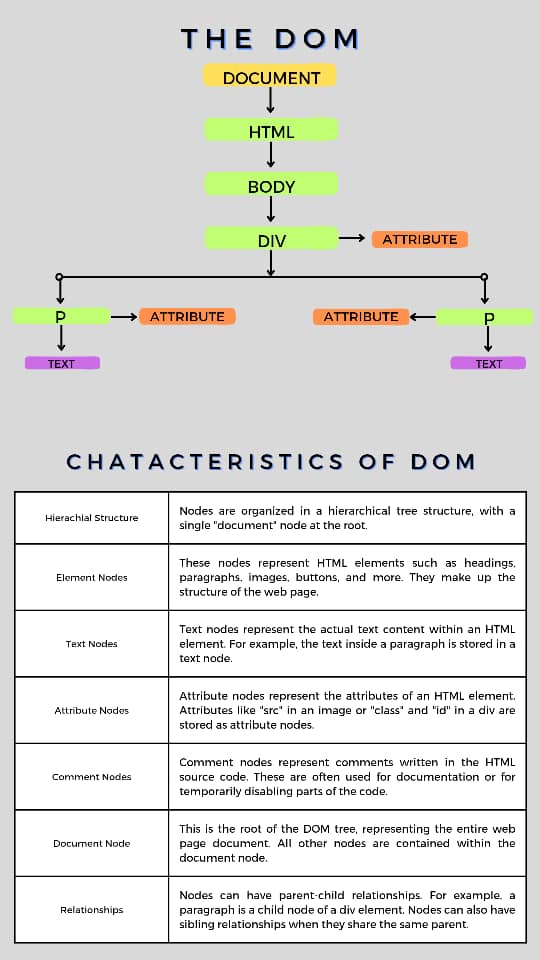
Sample code showing a paragraph in HTML with its id attribute and text content:
Accessing DOM Element
You can access DOM elements through these methods:
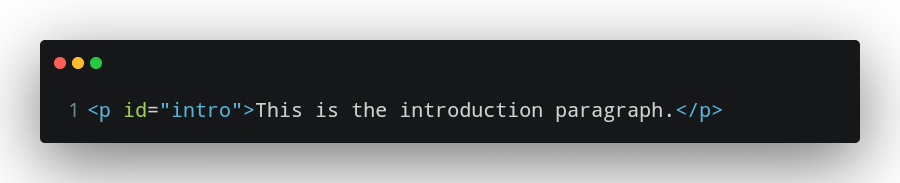
- getElementById: The JavaScript function "getElementById" aids in locating and grabbing a particular element on a web page by using its distinctive "id" attribute. It's similar to giving each element a unique name so you can quickly identify it and use it in your code.
Sample code showing how to use getElementById with the id attribute value being "elementId":
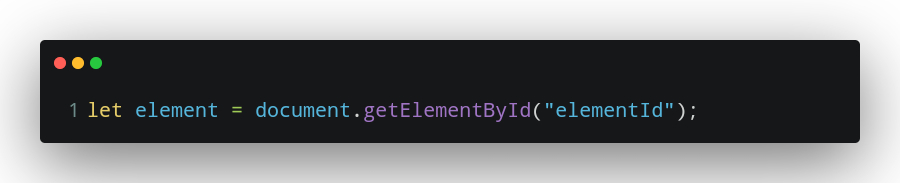
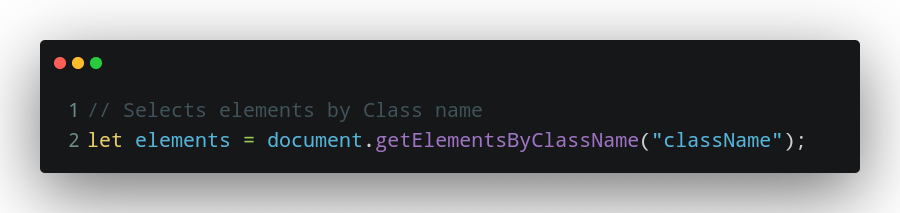
- getElementByClassName: The JavaScript function "getElementByClassName" enables you to choose several items on a web page that have the same class name, which functions as a group label for styling or behavior. It facilitates working with multiple code elements simultaneously.
Sample code showing how to use getElementByClassName with the class name value being "className":
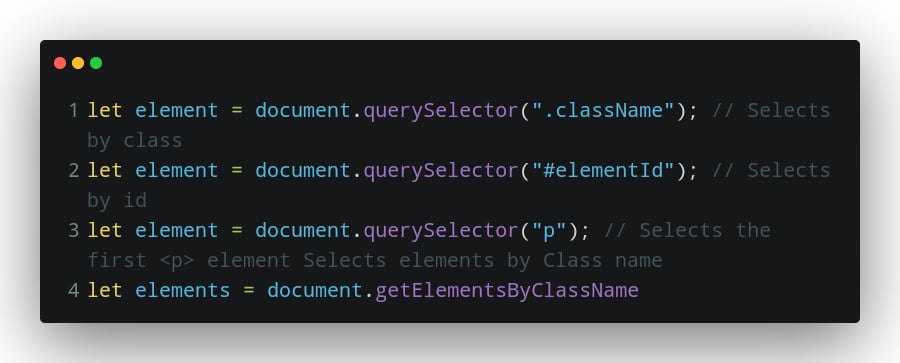
- querySelector: Using CSS-style selectors, the JavaScript method "querySelector" enables you to locate and pick one or more components on a web page. It's similar to using a search query to locate and manipulate particular code segments on a website. It returns the first matching element found on the page.
Sample code showing how to use querySelector :
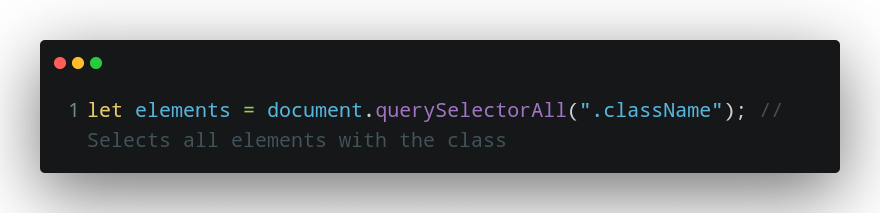
- querySelectorAll: A powerful JavaScript method called "querySelectorAll" enables you to search for and pick numerous elements on a web page using CSS-style selectors, such as all the elements with a particular class or tag. It comes in handy when you need to work with a number of items simultaneously in your code.
Sample code using querySelectorAll to access numerous elements:
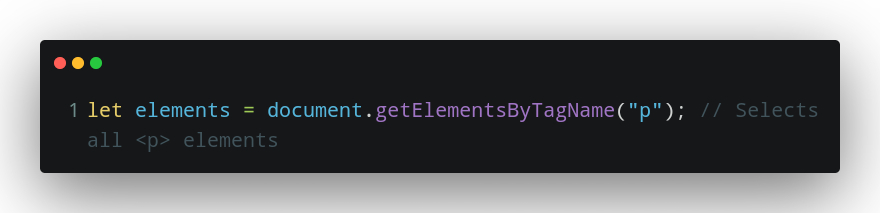
- getElementByTagName: `getElementsByTagName` is a JavaScript function that lets you find and select multiple HTML elements on a web page based on their tag names, like grabbing all the paragraphs or images. It's like sorting elements by their type, so you can work with them together in your code.
Modifying DOM elements
In web development, modifying the DOM is similar to editing a magazine or book, where you can change the text or arrange the photos, and add interactive components like pop-up notes or clickable links to improve the reading experience for your audience. Here are some ways to modify elements:
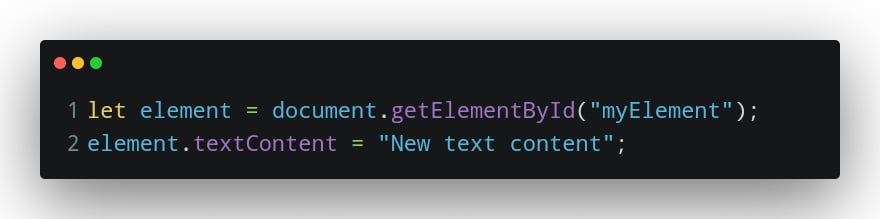
- Changing Text Content: You can change the text content inside an element using the textContent property.
Here is a sample code showing how to access an element through its "id" and modify its text content:
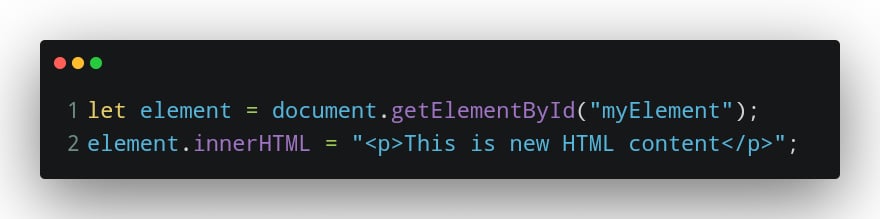
- Changing HTML content: To modify HTML content within an element, use the innerHTML property.
Sample code showing how to modify HTML content:
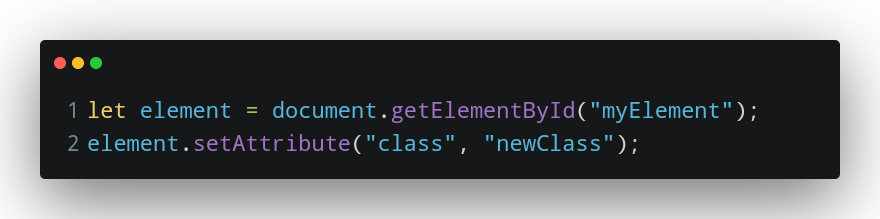
- Modifying Attributes: You can change or add attributes of an element using the setAttribute method.
Sample code showing how to modify attributes:
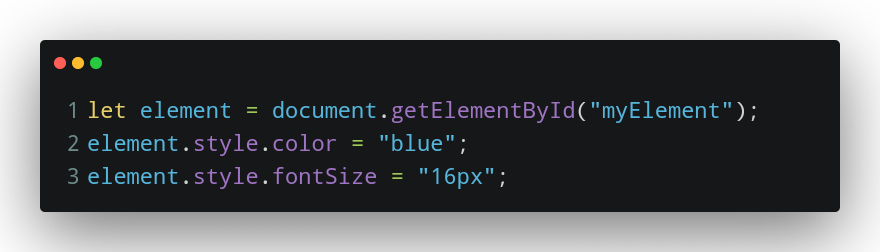
- Changing Styles: To modify the CSS style of an element, you can use the style property.
Code showing how to change styles in DOM:
Traversing the DOM
Traversing the Document Object Model, or DOM is similar to using JavaScript to discover a web page's structure. Using the parent, child, and sibling properties, you can switch between element
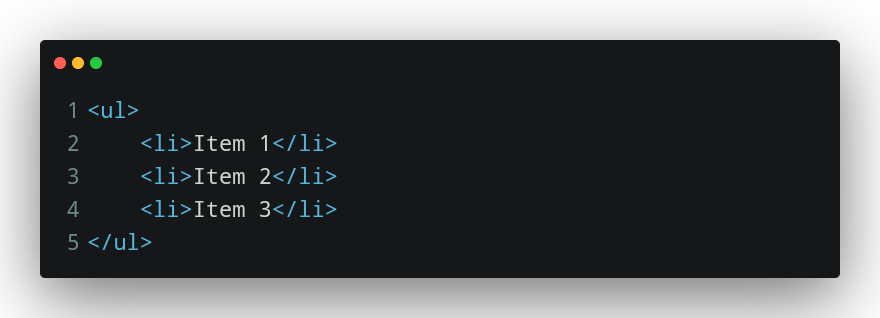
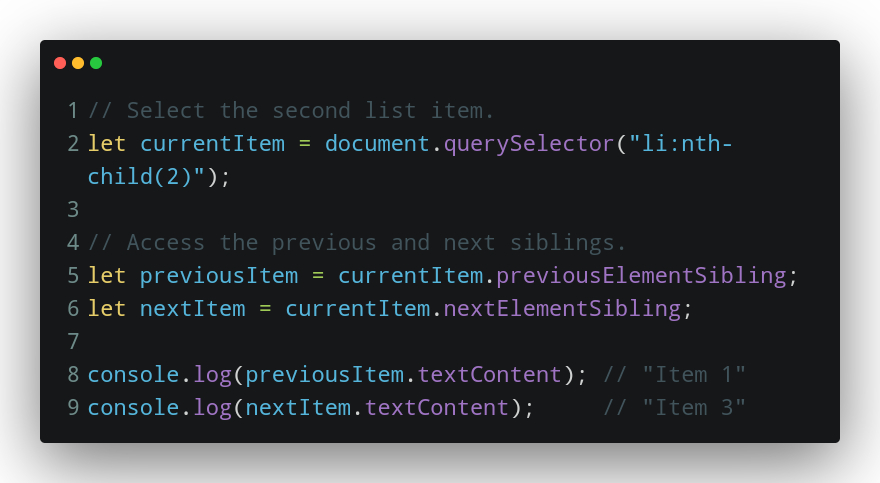
Navigating Siblings
Suppose you have a list of items and you want to access the next and previous items when a user interacts with them:
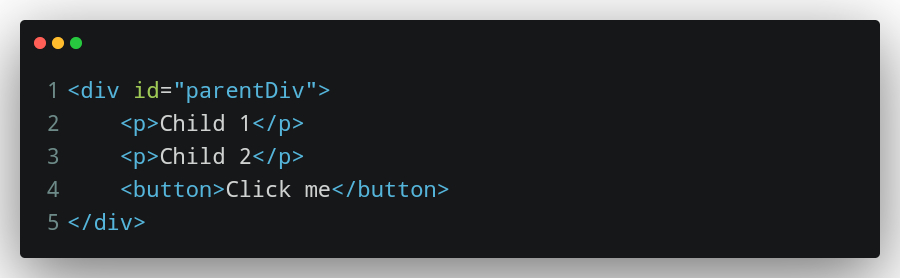
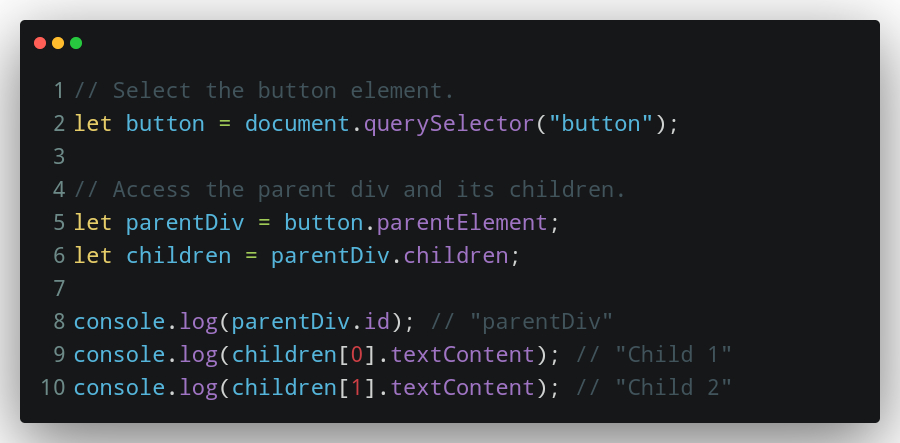
Traversing Parent and Children
Imagine you have nested elements, like a button within a div, and you want to access the parent div or the children inside it:
DOM Manipulation
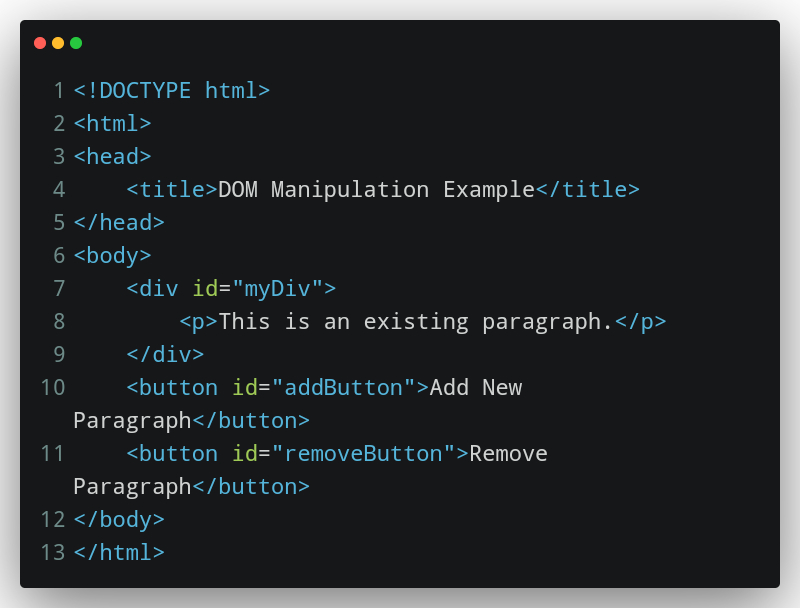
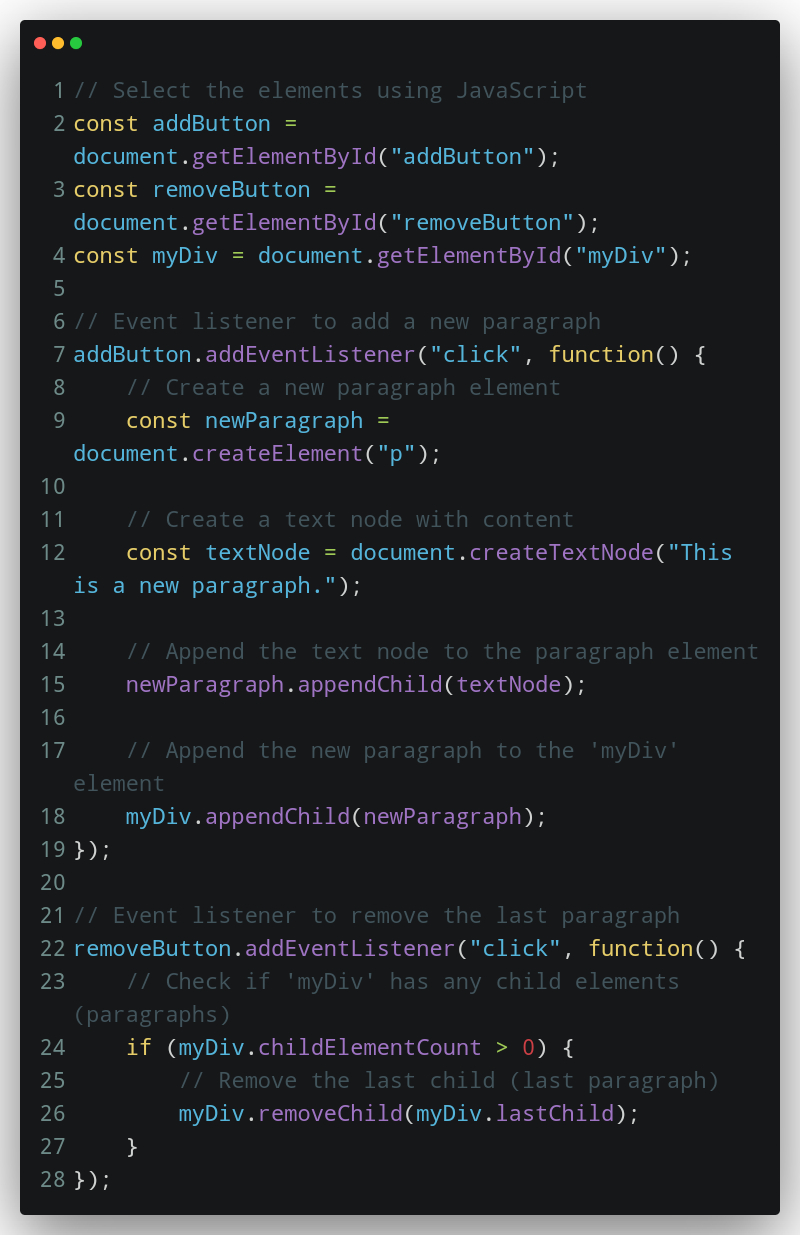
The code below illustrates DOM manipulation by adding and removing paragraphs to and from a web page. The "Add New Paragraph" button creates a new paragraph and appends it to an existing <div>, while the "Remove Paragraph" button removes the last paragraph if there are any. These actions showcase how JavaScript can dynamically change web page content for a more interactive user experience.
The HTML code:
The corresponding JavaScript code:
EVENTS
"Hey, this just happened! "
Events are things that happen in a web browser, such as actions or occurrences. These could be user actions (such as clicking a button), system events (such as the completion of page loading), or sensory events, such as the mouse cursor moving over an element.
Scripts respond to events by updating the content of the web page(via the Document Object Model).
Common events include "click" (mouse click), "mouseover" (mouse pointer enters an element), "keydown" (key on the keyboard is pressed), "load" (page finishes loading), and many more.
HTML elements can have events attached to them using event attributes. For instance, you may indicate what should happen when a button is clicked by adding an "onclick" attribute to the button element.
EVENT HANDLING
The process of creating and running JavaScript code that reacts to events is known as event handling. It enables you to specify how a web page should respond to a specific event.
Event Listeners: JavaScript allows for the addition of event listeners to elements. For instance, you may specify what should happen when a button is pressed by adding a "click" event listener to the button element.
Adding Event Listeners: JavaScript allows for the addition of event listeners to elements. For instance, you may specify what should happen when a button is pressed by adding a "click" event listener to the button element.
Event Object: When an event takes place, it creates an event object with details about it, including the target element, the kind of event, and more. This object is accessible to and can be used by event handlers to react to the event.
The Event Handling Process:
Select the HTML element(s) you want to monitor for events.
Define the event listener function that specifies what should happen when the event occurs.
Add the event listener to the selected element(s).
When the event occurs, the associated event listener function is executed.
Sample code on event handling:
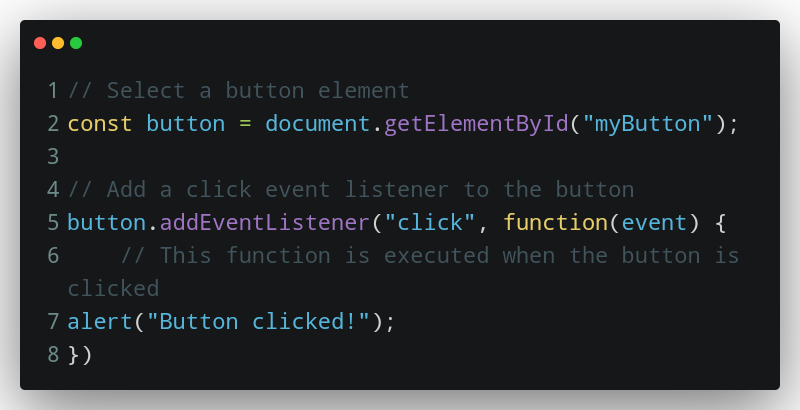
In this code above, when the button with the ID "myButton" is clicked, the event listener function displays an alert message.
DOM STYLING
DOM styling involves using JavaScript to modify the appearance of HTML elements on a web page.
DOM styling allows JavaScript to change the look of web page elements dynamically.
It involves accessing elements, changing their styles, and often responding to user interactions.
Code sample showing DOM Styling:
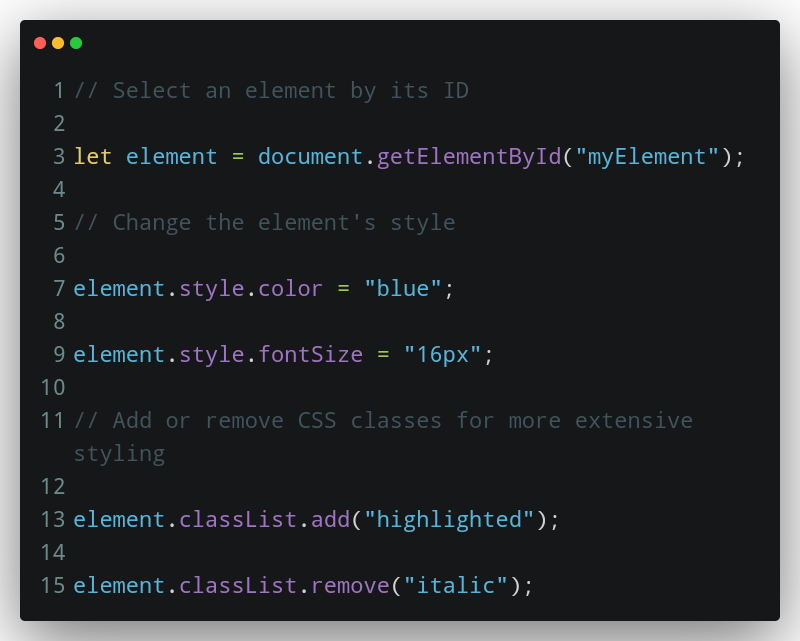
In this code sample, we select an element by its ID, change its text color and font size, and also add or remove CSS classes to modify its appearance.
DOM PERFORMANCE
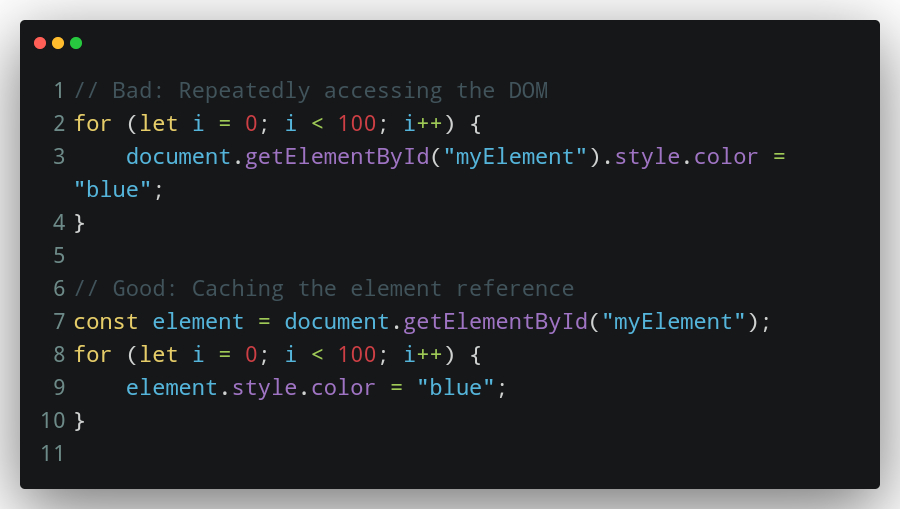
- Reduce DOM Access: Minimize the number of times you access the DOM. Caching references to frequently used elements can reduce overhead.
Sample code showing how to reduce DOM access:
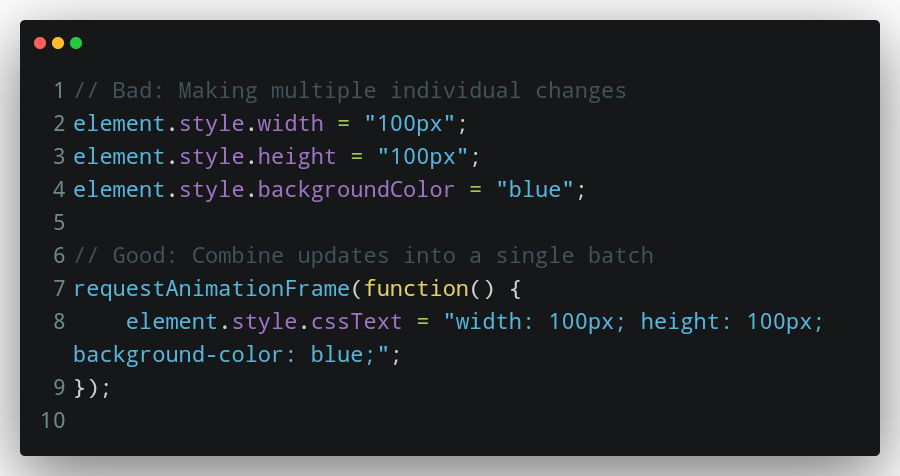
- Batch DOM Updates: Combine multiple DOM updates into a single batch to reduce reflows and repaints. Use functions like
requestAnimationFrameto schedule updates efficiently.
How to batch DOM updates to increase performance:
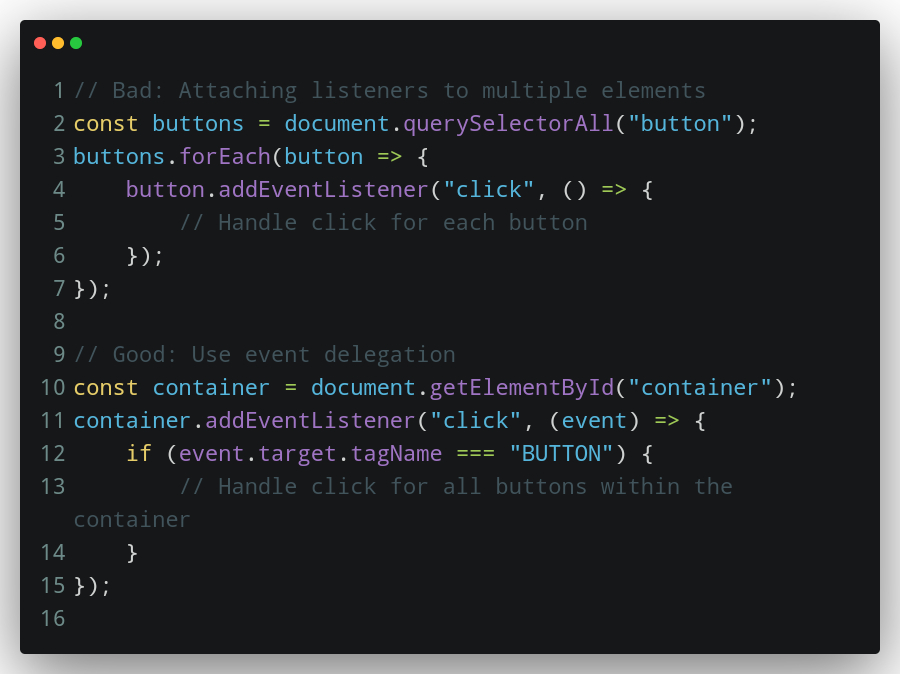
- Use Event Delegation: Instead of attaching event listeners to individual elements, use event delegation. Attach a single listener to a common ancestor element and handle events based on the target.
How to use event delegation for DOM performance:
CONCLUSION
In conclusion, the Document Object Model (DOM) in JavaScript serves as the bridge between web developers and the content of web pages. It gives programmers the ability to read, work with, and dynamically alter HTML and XML documents, facilitating the development of interactive and flexible web applications. Utilizing the full potential of web development requires knowing how to interact with the DOM effectively, ensuring that user interfaces are not only visually appealing but also fast and easy to use.
FURTHER READING
MDN Web Docs - DOM: Mozilla Developer Network (MDN) provides a comprehensive guide to the DOM, including tutorials, examples, and references.
W3C DOM Specification: The World Wide Web Consortium (W3C) is the organization responsible for web standards, and they have detailed DOM specifications for various web technologies.
Google Developers - Working with the DOM: Google Developers provides a guide on working with the DOM, explaining concepts and offering practical examples.
END.